
Introducing CaptureDisc: An Affordable 3D Scanner for What You Create
Your favorite collectible. Your next product shoot. A prop, a print, or a child's latest creation. CaptureDisc brings them into 3D with the phone or camera you already own, combining affordable photographic scanning with real-world scale and a simple, durable accessory.
Choose your size at the official CONSUM3D store.
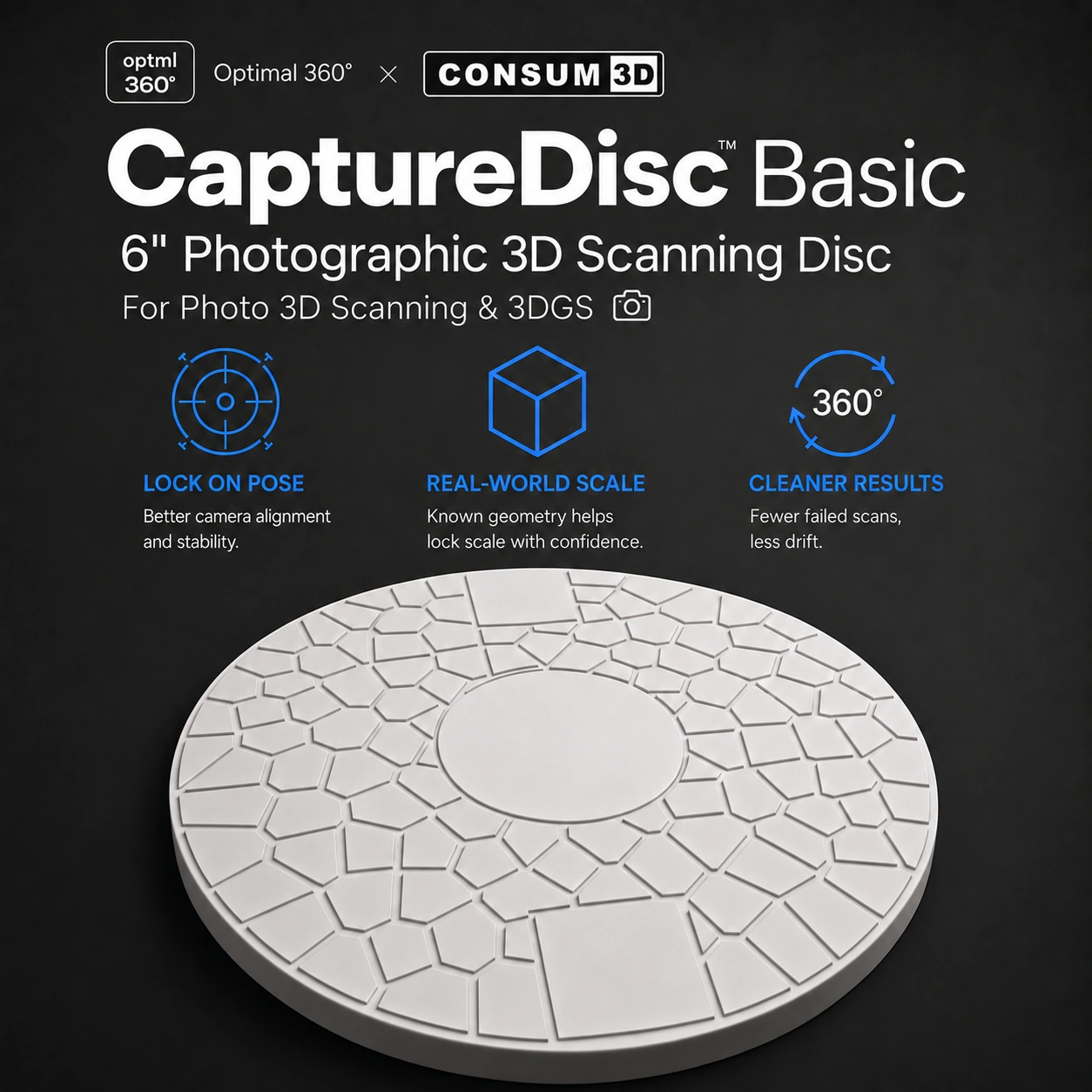
Put your object on CaptureDisc, keep the disc visible, and record with your phone or camera. Optimal 360 recognizes it automatically and turns your capture into an interactive 3D experience you can share. There is no disc to charge and nothing to pair.
CaptureDisc adds a known-size reference and a trackable pattern beneath your subject. That gives photo-based reconstruction more to work with, especially when an object has smooth surfaces or few distinctive details. Use it handheld or on a turntable, at home or in the studio.
CaptureScale: Share it at real-world scale
Give your captures a real-world sense of size. CaptureScale enables correctly scaled 3D results and View in Room, so someone can see your object in their own space. View in Room works on supported Android devices and iPhones, with iPhone support rolling out.
CaptureMesh: From capture to creation
Take your captures from the screen to your next project. CaptureMesh will create downloadable mesh models for 3D printing and further editing, and will be included with every CaptureDisc.
CaptureMatch: Color reference for your workflow
Bring color-reference processing into your photographic 3D workflow. CaptureMatch will add a color reference to your captures and requires a separate color-reference sticker add-on.
Your collection, ready to share
For collectors and hobbyists, a great object deserves more than a single photo. Capture a figurine, miniature, model, or handmade piece so friends can turn it around, zoom in, and appreciate the details from every angle.
With CaptureScale View in Room, they can also place it in their own space at real-world scale on a supported Android device or iPhone. Share the piece you are proud of without taking it off your shelf for every conversation.
A new dimension for your photography kit
For professional photographers, CaptureDisc is a small accessory that opens up another way to work with the camera, lighting, and composition skills you already have. Turn a subject you would normally photograph into a photorealistic, interactive 3D capture.
Shoot handheld when you want to move around the subject, or use a turntable for a controlled studio workflow. Optimal 360's Auto Studio and Pro Manual modes let you choose guided capture or direct control. CaptureMatch will add color-reference processing with its separate sticker add-on.

3D product photography that invites a closer look
Let shoppers explore the shape, finish, and details of your products instead of relying on one fixed angle. CaptureDisc supports both immersive 3D presentation and ecommerce-ready 360° product views for catalogs and product pages.
On a studio turntable, the product and disc rotate together as one trackable subject. The disc's visual pattern helps the software follow the capture, making it a practical addition for jewelry, product samples, bottles, and other small-object shoots.
See the official CaptureDisc Basic product page for the full feature breakdown, capture examples, and available sizes.
An affordable start for makers and 3D-printing enthusiasts
Start exploring object scanning with the camera you have, rather than buying a dedicated electronic scanner. CaptureDisc gives makers and scanning enthusiasts a repeatable way to capture small objects and explore them in 3D with real-world scale.
Take your captures beyond the viewer: mesh and 3DGS radiance-field exports in the optional Creator plan will open up more editing and making workflows. CaptureMesh will offer a separate route to downloadable models for 3D printing and further editing, included with every disc.
Hands-on STEM, from the kitchen table to the classroom
Give parents and teachers a practical way to connect everyday objects with photography, geometry, and 3D technology. Choose a toy or small classroom object, predict its size, capture it from different viewpoints, and explore how those views become a 3D result.
CaptureDisc is a durable passive accessory, with no battery to recharge or electronic pairing to manage. Use it for repeatable hands-on activities, compare a real object with its digital version, and share the result with family or the class. View in Room brings the scale lesson into the camera view of a supported Android device or iPhone.
Small props for film and visual effects
Build an interactive visual reference library of small props, miniatures, and set-dressing pieces. Give collaborators a way to inspect a captured object's form and surface detail from different angles when discussing a shot or developing an asset.
CaptureDisc also provides a tracking reference for compatible turntable photogrammetry and 3DGS workflows. Mesh and 3DGS radiance-field exports in the optional Creator plan will help you take captured material into a broader creative workflow.

Place it. Capture it. Share it.
Place your subject on CaptureDisc and keep the patterned disc visible. Move smoothly around the stationary object, or keep the camera steady while the disc and object rotate together. For a studio turntable, use soft, diffuse lighting, a solid-color background, and a rotation of 30 seconds or longer.
Upload to Optimal 360. Recognition is automatic. Explore the result, share your 3D capture, and use CaptureScale View in Room on a supported Android device or iPhone. The capture apps are available for iPhone and Android; you can also use a compatible camera workflow. Good focus, steady motion, and complete coverage give your subject the best starting point.
Go further with the optional Creator plan
Start with the free plan's three scans, then add Creator when you want a regular scanning workflow. Creator includes 10 scan credits per month and 4K Ultra processing. Its mesh and 3DGS radiance-field exports will let you take your captures further.
US App Store pricing is $17.99 USD billed monthly, or $79.99 USD billed annually, equivalent to $6.67 per month. Your App Store or Google Play checkout confirms the exact local price. The plan is optional and purchased separately from the physical disc.
Creating 3D product photography for a store? Optimal 360's ecommerce plans support website embedding, including Shopify, WooCommerce, and direct web embeds. Creator also includes branded website/store embedding.
Compare plans to choose the processing and presentation options that fit your work.
CaptureDisc questions
What do I need to get started?
CaptureDisc, a supported phone or camera, and the Optimal 360 app. A turntable is optional. CaptureDisc itself needs no power or pairing.
Which size should I choose?
CaptureDisc Basic comes in 6-inch and 8.5-inch sizes. Choose the reference area that fits your subject and shooting setup, and keep the patterned disc visible during capture.
How do Creator exports and CaptureMesh differ?
Creator will provide mesh and 3DGS radiance-field exports through an optional subscription. CaptureMesh will be included with every CaptureDisc and will create downloadable mesh models for 3D printing and further editing.
Does View in Room work on iPhone?
View in Room works on supported Android devices and iPhones, with iPhone support rolling out. The capture app itself is available on both platforms.
Bring your next object into 3D
Choose a CaptureDisc, pick something worth sharing, and start with the camera you already own. From a collector's shelf to a product studio, classroom, or prop table, CaptureDisc gives your next capture a real-world reference.
Choose your size at the official CONSUM3D store.
CaptureDisc and optional plans
Optimal 360 processing plans are separate from the physical disc. USD Creator prices were checked against the US App Store on October 29, 2026; local storefront prices may vary.
Disclosure: CaptureDisc is an Optimal 360 product sold through the official CONSUM3D store linked above. Availability and specifications may change. The store link is not an affiliate link, and Optimal 360 receives no commission from purchases through it.